Hello everyone!
Today’s release brings support for the latest release of Eclipse 4.39, and includes a few icon stencil updates and bug-fixes. Read on for more details.
Eclipse 4.39 support
The newest release of Eclipse 4.39, also known as Eclipse 2026-03, was recently released. We’ve updated the standalone version of WireframeSketcher to this more recent platform so that you can benefit from various improvements and bug-fixes. The plug-in version of WireframeSketcher now is also compatible with Eclipse 2026-03.

Other changes
- Updated Font Awesome icons stencil to version 7.2.0
- Improved memory management in standalone version
Updating
To update to the latest version of WireframeSketcher use Help > Check for Updates, or just download it from our website.
The version number of this release is 7.4.3
Enjoy!
Hello everyone!
Today’s release brings support for the latest release of Eclipse 4.38, and includes a few icon stencil updates and bug-fixes. Read on for more details.
Eclipse 4.38 support
The newest release of Eclipse 4.38, also known as Eclipse 2025-12, was recently released. We’ve updated the standalone version of WireframeSketcher to this more recent platform so that you can benefit from various improvements and bug-fixes. The plug-in version of WireframeSketcher now is also compatible with Eclipse 2025-12.
Other changes
- Updated Font Awesome icons stencil to version 7.1.0
- Fixed tree add cursor icon scaling on HiDPI monitors
Updating
To update to the latest version of WireframeSketcher use Help > Check for Updates, or just download it from our website.
The version number of this release is 7.4.1
Enjoy!
Hello everyone!
Today’s release adds monitor-specific UI scaling, native support for Linux Arm64 machines, updates to Eclipse 4.37 platform, includes resource usage optimizations and bug fixes. Read on for more details.
Multi-monitor UI scaling
Until now, anyone working with multi-monitor setups, specifically with monitors using different scaling settings, had a problem with WireframeSketcher: the user interface did not adapt dynamically when the application window was moved between monitors with different scaling settings.
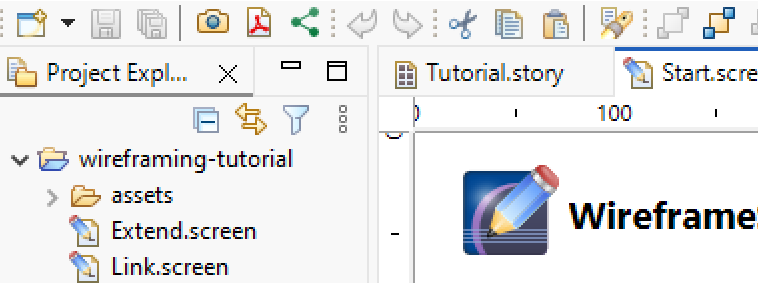
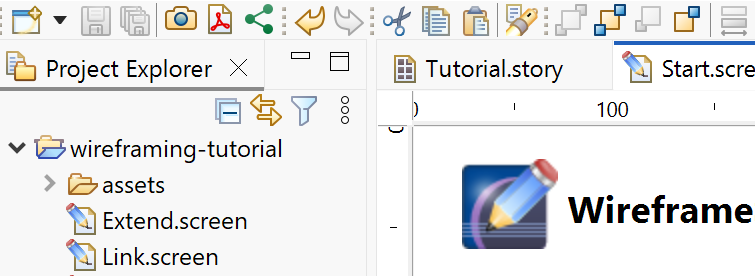
Today’s release brings support for multi-monitor UI scaling. Now WireframeSketcher adapts its scaling to the monitor it is currently being placed on in a sharp, resolution-specific way and without requiring an application restart. When using multiple WireframeSketcher windows, each of them will adapt its scaling to the monitor it is being placed on.
The images below show WireframeSketcher window scaling when moved from a monitor with 100% scaling to another monitor with 200% scaling:
Before implementing multi-monitor UI scaling:
After implementing multi-monitor UI scaling. Note how all UI elements stay sharp:
Note that for now this feature is Windows only, but the development done for this feature also improves HiDPI support on macOS and Linux.
Linux Arm64 version
Today’s release completes support for Arm-based PCs by adding native packages for Linux Arm64 machines. You can now use WireframeSketcher on Arm PCs running Windows, macOS or Linux without compromising the performance.
To get this version make sure you choose the Ubuntu/Debian, Fedora/openSUSE or generic Linux package tagged with (Arm64) on WireframeSketcher download page.
Please note that this is the first release of Linux Arm64 version so if you encounter any issues please report them back to us!
Resource usage optimizations
Following a report by one of WireframeSketcher’s users, we’ve implemented various optimizations to improve resource usage in the application. This is especially beneficial when multiple icon packs are installed or when large icon packs, such as FontAwesome Pro, are being used. These improvements ensure that WireframeSketcher remains fast and responsive, even with extensive icon libraries usage.
Eclipse 4.37 support
The newest release of Eclipse 4.37, also known as Eclipse 2025-09, was recently released. We’ve updated the standalone version of WireframeSketcher to this more recent platform so that you can benefit from various improvements and bug-fixes. The plug-in version of WireframeSketcher now is also compatible with Eclipse 2025-09.
Other changes
- Added support for Eclipse 4.37 / 2025-09 in plugin
- Added support for Eclipse 4.36 / 2025-06 in plugin
- Improved Color Picker dialog
- Updated Font Awesome icons stencil to version 7.0.1
- Fixed black&white option for images on HiDPI displays
Updating
To update to the latest version of WireframeSketcher use Help > Check for Updates, or just download it from our website. Windows and macOS users that use version 7.2.2 should download and install the latest version manually due to an update bug introduced in the previous version.
The version number of this release is 7.4.0
Enjoy!
Hello everyone!
Today’s release adds native support for Windows Arm64 machines, updates to Eclipse 4.35 platform, and includes HiDPI improvements and bug fixes. Read on for more details.
Windows Arm64 version
Windows has traditionally run on machines that are powered by x86 / x64 processors, but more recently, it also runs on devices powered by Arm processors. These processors offer devices longer battery life while offering great performance.
Today’s release brings a version of WireframeSketcher with native support for Windows Arm64 machines, this way delivering on its promise of a true cross-platform native application. You can now use WireframeSketcher on these devices without compromising the performance nor the battery life.
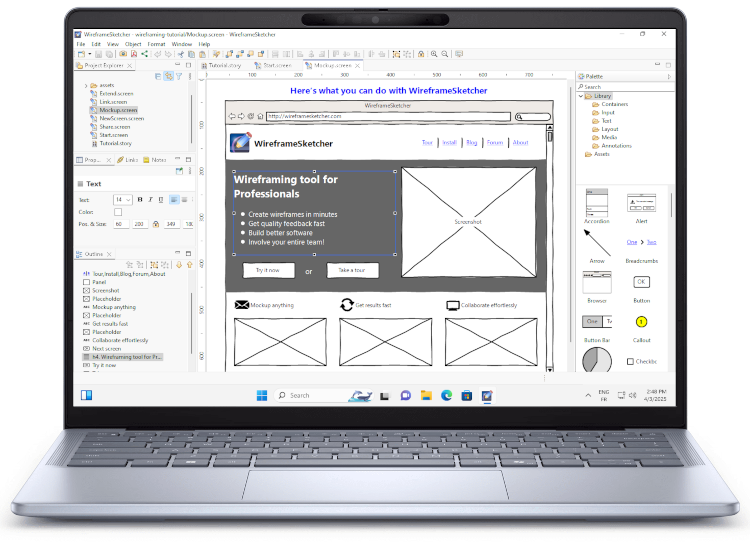
To get this version make sure you choose the Download for Windows (Arm64) version on WireframeSketcher download page.
Please note that this is the first release of Windows Arm64 version so if you encounter any issues please report them back to us!
Eclipse 4.35 support
The newest release of Eclipse 4.35, also known as Eclipse 2025-03, was recently released. We’ve updated the standalone version of WireframeSketcher to this more recent platform so that you can benefit from various improvements and bug-fixes. The plug-in version of WireframeSketcher now is also compatible with Eclipse 2025-03.
Other changes
- Improved/Fixed vertical ruler rendering on HiDPI displays
- Fixed update issue on Windows introduced in version 7.2.2
- Fixed icons view in Icons Dialog on HiDPI displays on Windows
Updating
To update to the latest version of WireframeSketcher use Help > Check for Updates, or just download it from our website. Windows users that use version 7.2.2 should download and install the latest version manually due to an update bug introduced in the previous version.
The version number of this release is 7.3.0
Enjoy!
Hello everyone!
Today’s release brings a new way to install WireframeSketcher on Linux via Flathub, updates to Eclipse 4.34 platform, and includes icon stencil updates and bug-fixes. Read on for more details.
Installing as Flatpak app via Flathub
One of the core features of WireframeSketcher is that it’s a true cross-platform native application. Supporting Linux platform properly always was a time consuming task, but despite this we’ve made sure that Linux is well supported by WireframeSketcher.
This release adds another level of support for Linux by offering a distribution independent way to install WireframeSketcher on any Linux version that supports Flatpak. Some distributions like Fedora, elementary OS, Linux Mint and others come with built-in support for Flatpak. For other distributions Flatpak can be enabled by following its setup instructions.
Another advantage of installing Flatpak version of WireframeSketcher is that it can be done as a non-root user, and still takes care correctly of the system dependencies at the same time.
Flatpak version of WireframeSketcher can be installed from the Flathub App Store.
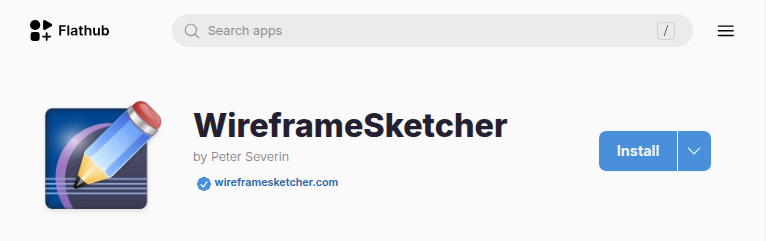
Note that the Flatpak version of WireframeSketcher has one limitation which for now prevents the correct installation of additional Eclipse plugins. If you need to use additional plugins with WireframeSketcher then we advise to keep using the native Linux version. Note that you can always safely switch between native and Flatpak versions of WireframeSketcher without affecting your data.
Eclipse 4.34 support
The newest release of Eclipse 4.34, also known as Eclipse 2024-12, was recently released. We’ve updated the standalone version of WireframeSketcher to this more recent platform so that you can benefit from various improvements and bug-fixes. The plug-in version of WireframeSketcher now is also compatible with Eclipse 2024-12.
Other changes
- Updated Font Awesome icons stencil to version 6.7.2
- Fixed splash screen image displacement on macOS
- Fixed the error occurring when closing screen editor with two Properties views
Updating
To update to the latest version of WireframeSketcher use Help > Check for Updates, or just download it from our website.
The version number of this release is 7.2.2
Enjoy!